Polyguard Mobile
Prove You're Really You.
Polyguard Mobile verifies your identity right on your phone — using facial recognition, your passport's NFC chip, and your device's built-in security hardware. Your biometric data never leaves the device.
What Polyguard Mobile Does
When you join a Zoom or Teams meeting protected by Polyguard, the app confirms it's really you — not a deepfake, not a recording, not someone using your stolen credentials from another device. Verification takes under 60 seconds, runs entirely on your phone, and your private data stays on your phone.
Polyguard uses fused identity verification — multiple configurable factors verified simultaneously on your device — to establish identity with a confidence level no single check can achieve alone.
Native on Both Platforms
Polyguard Mobile is built natively for each platform — not a cross-platform wrapper. Every security feature uses the platform's native hardware APIs.
iPhone
Swift / SwiftUI
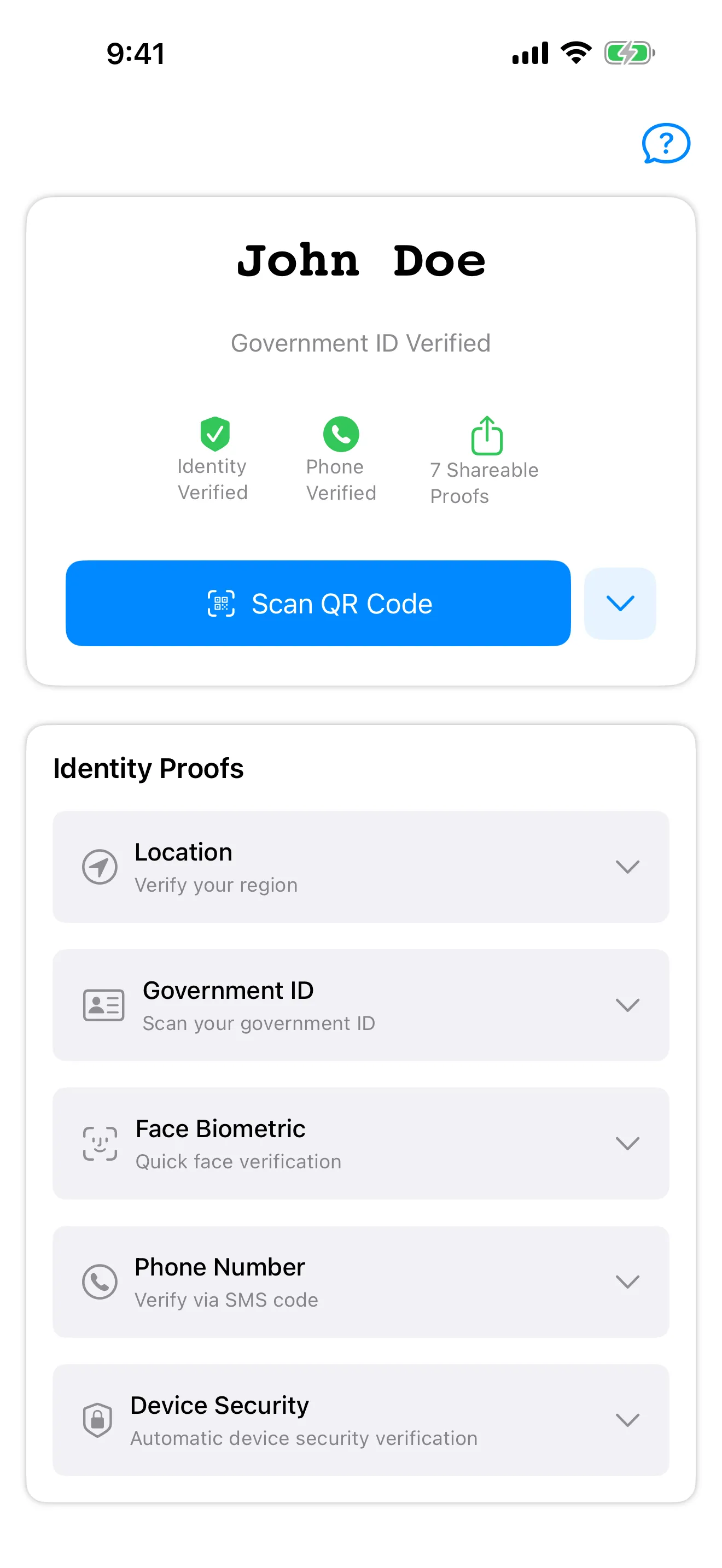
Apple AppAttest
Hardware-backed device attestation confirms the app is running on a genuine Apple device with an unmodified OS.
On-Device Facial Recognition
Real-time facial recognition using TensorFlow and the Vision framework runs entirely on-device. Biometric data stays on the device — Polyguard never accesses or stores it.
NFC Document Reading
Reads the cryptographic chip on passports and identity documents using Core NFC. Validates the document's digital signature on-device.
Android
Kotlin / Jetpack Compose
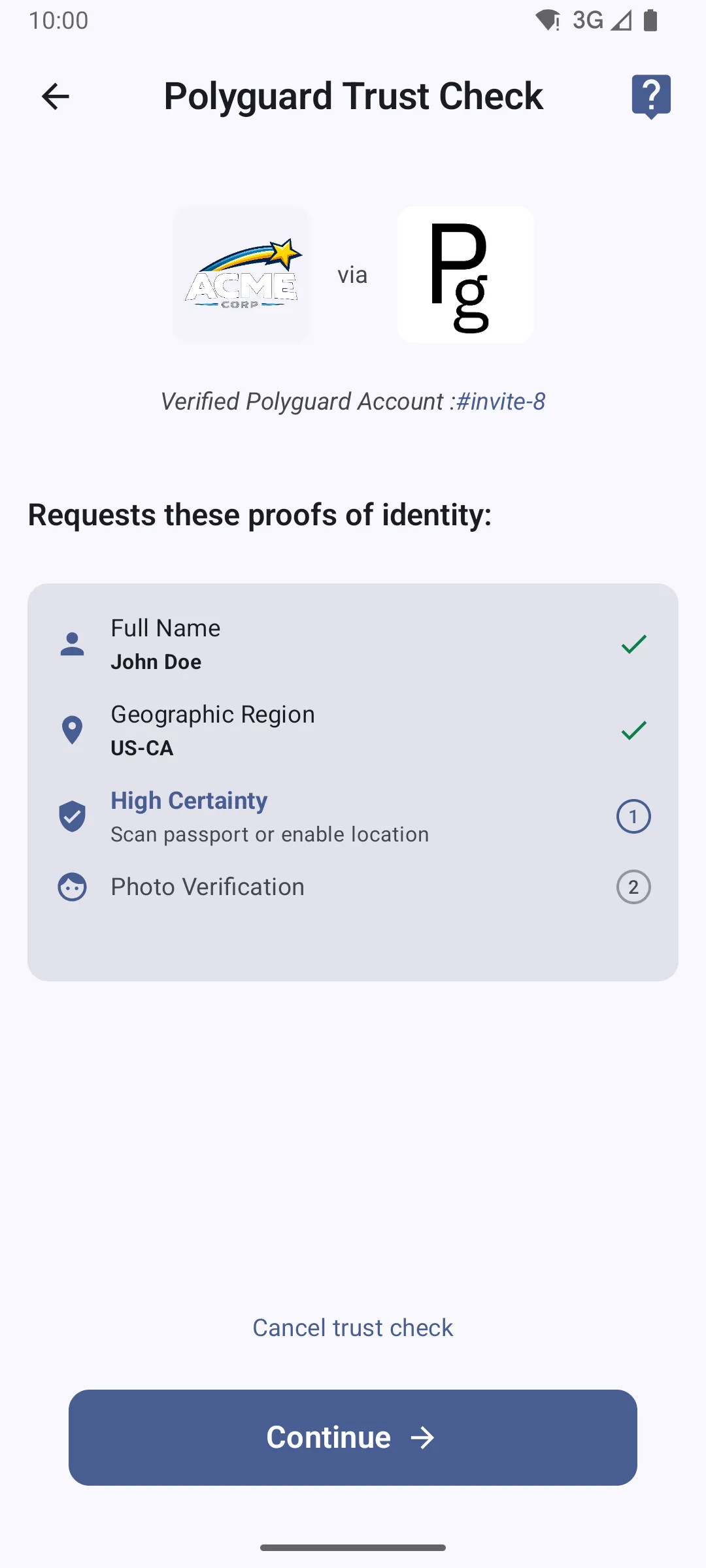
Google Play Integrity
Hardware-backed device attestation confirms the app is running on a genuine Android device with a verified bootloader and unmodified OS.
On-Device Facial Recognition
Real-time facial recognition using TensorFlow runs entirely on-device. Biometric data stays on the device — Polyguard never accesses or stores it.
NFC Document Reading
Reads the cryptographic chip on passports and identity documents using Android NFC APIs. Validates the document's digital signature on-device.
Shared Across Both Platforms
Regardless of platform, every Polyguard Mobile installation provides the same security guarantees.
On-Device Biometric Processing
All biometric data is processed and stored on-device. Facial recognition templates, biometric confirmations, and identity data never leave the phone. This is an architectural guarantee, not a policy.
PG-Presence Distance Bounding
Optical distance bounding confirms physical co-location with the meeting screen. Round-trip verification completes in under ~100ms. Remote desktop, screen sharing, and KVM attacks are physically impossible within these bounds.
Cryptographic Attestation Signing
Every verification result is signed using a hardware-backed key in the device's secure enclave. Attestations are independently verifiable through published JWKS public keys. No implicit trust required.
Zoom and Microsoft Teams
Works with Zoom and Microsoft Teams through native integrations. Also available to any application through the Polyguard SDK. No bots join your meetings — verification happens on the user's own device.
SOC 2 Type II Certified
Polyguard's infrastructure holds an unqualified SOC 2 Type II opinion. Security controls, availability, and data handling have been independently audited and verified.
NFC Document Verification
Reads the cryptographic chip embedded in passports and government-issued identity documents. Direct digital signature validation — not OCR, not photo matching, not visual inspection.
How Verification Works
A typical verification flow takes under 60 seconds.
Open Polyguard Mobile
The app confirms it is running on a genuine device through hardware attestation (Apple AppAttest or Google Play Integrity). This happens transparently on every launch.
Verify Your Identity
Real-time facial recognition confirms the person holding the device. On first use, NFC chip reading verifies a government-issued identity document. All processing stays on-device.
Confirm Physical Presence
PG-Presence optical distance bounding confirms you are physically at the device and co-located with the meeting screen. Point the camera at the QR code displayed in your meeting.
Attestation Signed and Delivered
A cryptographically signed attestation — combining all verified factors — is transmitted to the meeting participants. Your identity is verified. The attestation is independently verifiable through published JWKS keys.
Get Polyguard Mobile
Prove you're really you on every call. Available now for iPhone and Android.